

Alternative (Alt) Text
So you want to learn more about writing Alternative Text.
Well, you’ve come to the right place.
This resource guide is intended to help you learn the basics alternative text: what it is, how it’s used, and how to write more effective alternative text that improves digital access for all.
What is Alternative Text?
The purpose of “Alt” Text is to provide a short written description of an image or graphic so that screen readers can describe the image to users.
Alternative text is found in the metadata of your image-based digital content. While it isn’t “visible” to all users on the front-end of your content, assistive technologies like screen readers rely on alternative text in order to convey the purpose and context of the image to individuals who cannot perceive them (such as individuals with vision-related disabilities).
Every element that is recognized as an “image”, will be labeled as such by assistive technology. This applies to your:
logos
decorative elements (e.g., text boxes or flourishes)
icons
emojis
images
background graphics
and more.
But effective Alt Text is about more than describing what you see.
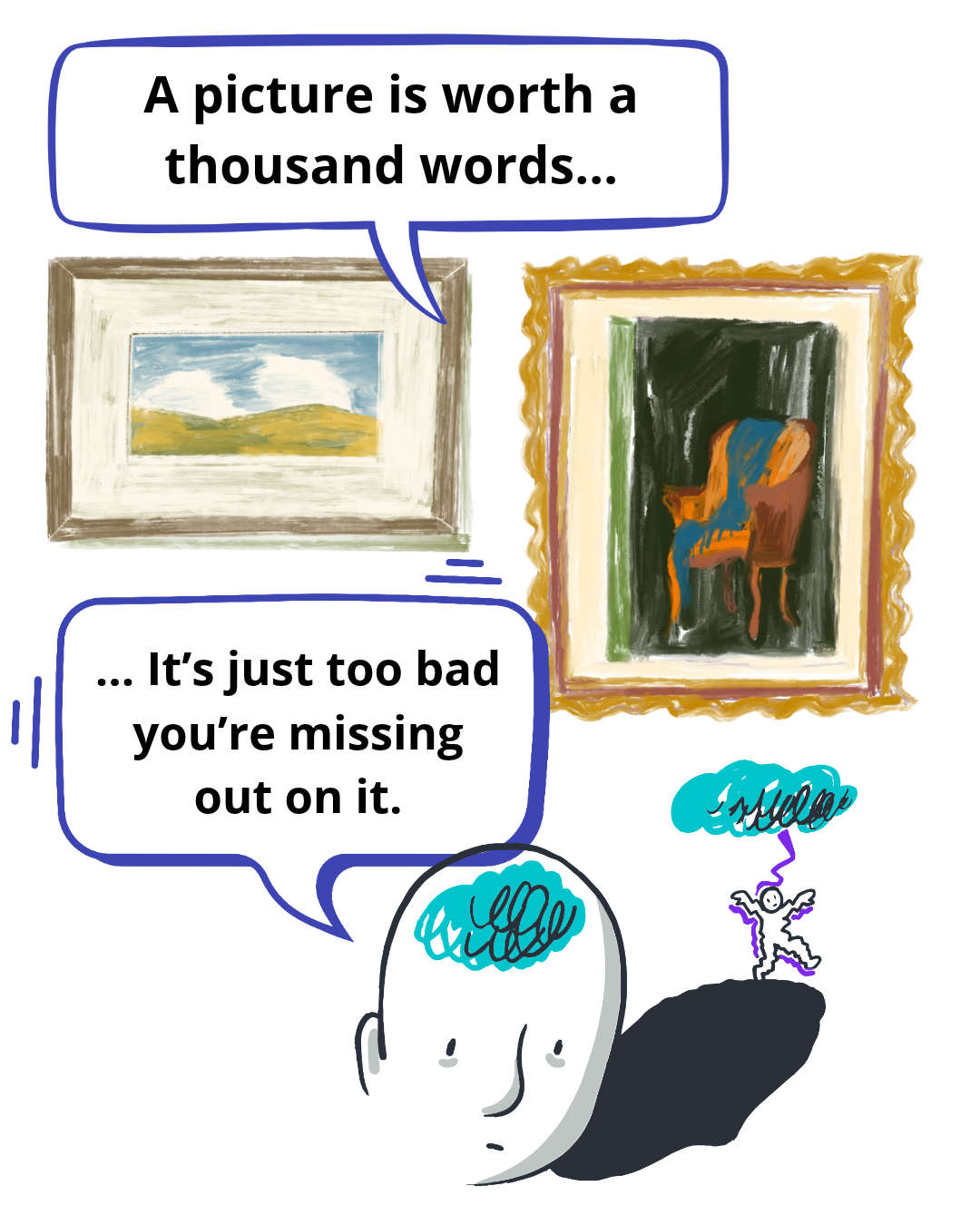
The reality is that we use images to communicate all kinds of information, whether its through photographs, illustrations, charts and diagrams, icons, or another form of image. The visual content we use plays an important role in how we share and understand information in the digital world.
But what happens when someone can’t see those visual elements?
For many individuals, images without an accessible text alternative means missing out on critical information, context, and meaning. And this is particularly true when an image contains information that isn’t otherwise found elsewhere in the content.
Writing meaningful alternative text means understanding why the image is being used, what information it’s meant to communicate, and what someone would miss if they were not able to access or perceive it.
Tips for Writing Better Alt Text
Before writing your alt text, ask yourself why you’re utilizing a particular image. You can use the exact same photo in two separate pieces of content, and the alternative text can look completely different. A photograph of someone using a wheelchair, for example, could be used to demonstrate an accessibility feature, introduce a new team member, or simply be stock imagery of an individual in a wheelchair. Each of these calls for different alternative text.
Context Matters
Alternative text should provide enough information for someone to understand an image’s purpose, but shouldn’t overwhelm a user with unnecessary details.
While there is no universal word or character limit for alternative text, many platforms will restrict you to 120-150 characters, which is generally considered to be a good length. For images that require a more lengthy explanation, consider providing that information in an accompanying caption or in descriptive text below the image.
Be Descriptive, but Concise
Avoid using “Picture of” to start your alternative text. Assistive technology like screen readers automatically identify images to users. Instead, jump straight into the description.
An exception to this rule is in cases where the type of image is relevant to understanding its meaning. For example, identifying something as a painting, illustration, or screenshot can sometimes provide important context to the reader.
Avoid Unnecessary Introductions
Alternative text should describe what is important, relevant, and/or observable, but be weary of making assumptions about individuals, places, or circumstances depicted. For example, you may be able to describe an individual’s facial expression, but cannot necessarily determine how they’re feeling. Similarly, avoid assuming an individual’s identity, disability, or personal circumstances based solely on their appearance. (If you know the individual and know these are important to how they identity, this is different!)
Avoid Making Assumptions
Frequently Asked Questions About Alt Text
-
Where to include alt text for your images depends on the platform, but is typically found in the image settings. For social media platforms like Instagram, the alt text field is found in the post settings before posting.
-
Yes, when appropriate. If, for example, you are writing alternative text for an individual who is vocal about being African Nova Scotian, for example, then this can be an important characteristic to include. Be cautious, however, as you never want to make assumptions about a person’s ethnicity or race.
-
Many individuals include an Image ID or visually identifying information in the caption of an image. This enables you to include as much detail about an image as you’d like, however it’s important to note that it isn’t necessarily obvious that this information relates to a specific photo, and can be confusing for individuals who rely on assistive technology like screen readers. Before the alternative text of an image is read aloud, a screen reader will announce the element as an image, signalling to the user that alternative text may follow, which is attributed to the image. Conversely, text that is a part of an image caption is read aloud after the image is announced (depending on the logical reading order of the content).
-
It depends! If the appearance of an individual is important to the context of the photo, you would naturally include more details about the individual’s appearance. However, there are instances in which the appearance of an individual is less important.
Say, for example, you’re writing alternative text to accompany a photo of a Founder giving a keynote presentation at a local convention. And let’s say you’re including this image in the company’s Impact Report, talking about the company’s awards and nominations. In this case, the most important parts of the image are the Founder’s name, the fact that they’re presenting a keynote, and the name and year of the convention.
If, however, you’re writing alt text for an image of a sweater for an e-commerce shop, the visual description of the sweater would be more important contextually.
-
Best practice is to try to limit the amount of text you use in image-based content. This is because when you save and share a piece of content as an “image”, any text that is used in that graphic is effectively transformed from “live text” into shapes that can no longer be read by assistive technology.
When writing alternative text for an image, you want to include the text found in the image. In cases where there is too much text to include in the alt text, you’ll want to indicate that the remaining text is found in the accompanying caption, and ensure that every piece of textual information in the graphic is included in a live text format directly beside or below the image.
-
While there are tools that can check whether or not an image contains alternative text, automated tools cannot tell you whether the alternative text you’ve included is meaningful or effective. This is why it’s so imperative to have human guardrails in place to double check alternative text before posting.
-
No—Because alternative text is only designed for image-based media, your video-based media does not require alternative text. Similarly, if you share an image in a video-based format (E.g., if you post a series of photos as a REEL on Instagram), the image is effectively transformed into a video format, no longer necessitating alt text. In this case, you’ll want to ensure that you have a text and audio-based alternative to describe any important visual information that is included in the video.
-
Yes—when appropriate. Similar to when deciding whether or not to include other identity-related characteristics, if the name and/or title of the individual is known, and relevant to the content, it’s important to include this information in the alt text.

Ready to Learn More?
Ready to dive in and learn more about all things alt text and digital accessibility?
Check out our hands-on and interactive workshops: